How Small Businesses Should Evaluate WhatsApp Business API Platforms for Notifications
A failed order update text costs you a customer who never complains. They just stop buying. WhatsApp notifications now carry your delivery confirmations, payment alerts, and appointment reminders, so the platform behind them decides whether those messages arrive at all. For a closer look at the options in this space, see Best whatsapp business api provider.
This article walks through the criteria that separate a reliable WhatsApp Business API provider from a fragile one: template approval speed, delivery rates, pricing transparency, automation depth, and official Meta Business Partner status. You will finish with a practical checklist for choosing a platform your notifications can depend on.
Why Notification Delivery Is the Real Test of a WhatsApp Business API Platform
A platform that cannot reliably deliver order confirmations, shipping updates, and payment receipts is not a notification platform. It is a liability. Every missed message becomes a support ticket, a refund request, or a customer who quietly stops buying.
Marketing blasts and transactional messages do not carry the same weight. A promotional offer that arrives late is forgettable. A shipping alert that never arrives leaves a customer refreshing a tracking page and wondering whether the order exists at all. Transactional messaging carries an expectation of instant delivery, and customers judge the business when that expectation is broken.
This is why notification delivery deserves to be the first test in any evaluation. API access alone proves very little. Providers can connect a business to the WhatsApp Business API and still fall short on the infrastructure underneath: message queueing, throughput during peak hours, webhook reliability, and uptime. Two providers can offer identical features on paper and perform very differently on a busy Monday morning.
Delivery reliability is an infrastructure question, not a checkbox question. A provider that handles steady volume but buckles during a flash sale, or that drops webhook events without retrying, will expose the business to the exact failures notifications are meant to prevent. Support tickets rise, revenue leaks, and churn follows.
The practical takeaway is simple. Evaluate any WhatsApp Business API provider by its notification performance first. Pricing, dashboards, and onboarding matter, but none of them matter if the message does not arrive. Everything else in this evaluation should be weighed against that baseline.
What "Notification-Ready" Means for a Small Business
For a small business, notification-ready means every order confirmation, shipping alert, and appointment reminder reaches the customer's phone without manual intervention. Nobody on the team is copying phone numbers into a chat window or checking whether a message went out. The system runs on its own.
Consider a typical day for a small online retailer. A customer pays, and a payment receipt goes out. The warehouse packs the order, and a shipping update follows. The package arrives, and a delivery confirmation closes the loop. Each of these is a transactional message tied to a specific event, and each one should fire automatically the moment that event occurs.
That automation depends on three things working together: triggers that detect the event, a messaging API that sends the message, and status tracking that confirms what happened. A small business cannot afford to monitor every message by hand. The system has to work silently and consistently, including at night and on weekends.
Before comparing providers, it helps to check for a short list of baseline capabilities:
- Automated sending tied to business events such as orders, payments, and appointments
- Delivery receipts showing that a message reached the customer's device
- Read receipts showing that the customer opened it
- Error handling that retries failed sends and flags problems instead of losing them
These four items separate a genuine notification platform from a tool that merely sends messages. A provider that cannot show delivery status, or that silently drops errors, leaves the business guessing. Guessing is expensive when the message in question is a payment receipt.
It also helps to think about what notification-ready is not. It is not a shared inbox where staff reply manually. It is not a bulk broadcast tool aimed at promotions. Those have their place, but they fail the notification test. The measure is whether routine, expected messages go out on time, every time, with a record that proves it.
The Evaluation Criteria That Actually Matter
Most platform comparisons fixate on surface features, but the criteria that determine success are template approval speed, delivery reliability, pricing clarity, and integration depth. These four factors directly shape whether your customer notifications arrive on time and what you ultimately pay for each one.
A long feature checklist tells you little about how a WhatsApp Business API platform behaves when a password reset or delivery update needs to go out immediately. What matters is how fast message templates clear review, how consistently messages reach recipients, how transparent the billing is, and how well the platform connects to the systems your small business already runs.
Each of these criteria carries a real cost when it falls short. Slow approvals delay launches. Weak delivery silently erodes trust with customers. Hidden markups inflate your monthly spend. Shallow integrations force manual work that eats staff time. Together they define the total cost of ownership, not just the headline rate.
The sections below break down each criterion in turn, with the questions to ask providers and the benchmarks worth comparing before you commit to a notification platform.
Template Approval Speed and Message Quality Ratings
A template stuck in review can delay critical notifications, making approval speed a make-or-break metric for time-sensitive businesses. Every message you send through the WhatsApp Business API must first pass Meta's template review, so the pace of that process shapes how quickly you can launch or adjust a notification flow.
Review times vary. Some templates clear quickly, while others take longer, often because of unclear wording, missing sample values, or category mismatches. Common rejection reasons include promotional phrasing inside a utility template, broken variable placeholders, and content that does not match the selected template category.
Message quality ratings matter just as much. Meta assigns each phone number a quality rating based on how recipients respond, including blocks and reports. A dropping rating can throttle your throughput or pause template sending entirely, so quality is not a vanity metric. It affects whether your notifications keep flowing.
Practical habits reduce friction:
- Use utility templates for order updates, appointment reminders, and account alerts, and reserve marketing templates for promotions.
- Keep language neutral and factual. Avoid promotional wording in transactional messaging.
- Include template variables for names, order numbers, and dates to personalize each notification.
- Submit sample values with every variable so reviewers see exactly how the message renders.
Some platforms offer template management tools, draft libraries, or pre-approved template sets that speed up submission. Ask whether the provider helps you structure and categorize templates correctly the first time, since rejected submissions cost days.
Delivery Rates, Throughput, and Real-Time Reliability
A platform's throughput, meaning messages per second, and its ability to queue during spikes determine whether notifications arrive on time or fail silently. Delivery rate is the share of messages that successfully reach recipients, and it is the simplest measure of whether the channel is doing its job.
API rate limits cap how many requests you can send in a given window. When traffic surges, such as a flash sale alert or a batch of shipping confirmations, a platform without message queueing will drop requests or return errors. Queueing absorbs the spike and releases messages at a rate the API accepts, so nothing is lost.
Latency is the delay between sending a request and the message leaving the platform. For time-sensitive alerts, low latency is the target. Uptime SLAs define the availability the provider commits to, and a high availability figure is a common benchmark worth comparing across vendors.
Questions to put to any provider:
- What delivery rate and latency can you demonstrate for transactional messaging?
- How does the system handle API rate limits during high-volume periods?
- Is there real-time monitoring with alerts when delivery dips?
- What failover exists if a primary route or region goes down?
Ask for delivery receipts and read receipts where supported, plus webhook events that report failures. Real-time visibility lets you catch problems before customers notice.
Pricing Transparency: Per-Conversation Costs, Markups, and Hidden Fees
The sticker price per conversation often masks markups, platform fees, and charges for additional team members or channels that inflate your monthly bill. Understanding the pricing model before you sign prevents surprises once notification volume grows.
Most providers bill in one of two ways. Per-conversation pricing charges for each 24-hour window opened with a customer, while per-message pricing charges for each template sent. Meta sets base rates that differ by template category, with utility and authentication templates typically costing less than marketing templates. Session messages, sent within an open service window, are often priced differently again.
Watch for these common add-ons:
- Platform markups layered on top of Meta's published rates.
- Charges for extra users, seats, or team accounts.
- Fees for connecting social channels beyond WhatsApp.
- Per-call or per-API-request charges that scale with volume.
To estimate real cost, multiply your expected monthly notification volume by the effective per-message rate, then add any fixed platform fees and per-seat charges. Compare that total across providers rather than the headline rate alone.
Request a detailed quote that itemizes every charge, and ask how rates change as volume grows. The lowest advertised price is rarely the lowest total cost of ownership once markups and extras are included.
Automation and Integration Depth for Order Updates and Alerts
True automation means your e-commerce platform, CRM, or helpdesk can trigger WhatsApp notifications without manual intervention, via webhooks or native integrations. When a customer's order status changes, the system should push that event to the WhatsApp Business API automatically. The customer receives a shipping update promptly, not hours later.
This is where integration depth separates a capable notification platform from a basic one. Shallow integrations require staff to copy order details into a dashboard and hit send. Deep integrations connect directly to the tools your team already uses, so notifications fire on their own.
Two mechanisms drive most of this automation:
- Webhooks: Your platform sends an event to the WhatsApp Business API when something changes, such as an order moving to "shipped" or a payment failing.
- Native connectors: Pre-built links to platforms like Shopify, WooCommerce, or Zendesk that require little or no coding.
- API endpoints: Direct calls your developers write when no connector exists for your stack.
Common triggers include order confirmations, shipping notifications, delivery updates, payment failure alerts, and appointment reminders. Each one maps to a utility template, which Meta reviews before it can go live. A well-built platform handles template variables automatically, pulling in the customer's name, order number, or tracking link.
For small businesses without developers, a visual bot builder or workflow designer matters just as much. A drag-and-drop interface lets a non-technical owner set up automation rules without code or a ticket to an IT team.
Integration depth reduces development time and cuts down on manual errors. A copy-paste mistake in an order number is embarrassing; an automated system simply does not make that mistake. When evaluating platforms, count the pre-built integrations and test how easily you can connect a custom API. Ask whether the documentation is clear, whether sandbox testing is available, and how the platform handles failed webhook deliveries.
A useful evaluation exercise: pick your three most frequent customer notifications and trace how each would fire on the platform. If any step requires a human to press send, the automation is incomplete.
Compliance, Security, and Official Partner Status
Without official Meta partner status, your business risks sudden API access revocation and compliance violations that can halt all notifications. For a small business, that means order confirmations, appointment reminders, and delivery updates simply stop reaching customers.
Compliance is not a formality in the WhatsApp Business API ecosystem. Meta enforces strict rules around business verification, consent, and message categories, and platforms that cut corners put your sender reputation at risk. A single policy breach can affect every number connected to your account.
Security matters just as much. Customer notifications often carry names, order details, and account information, so encryption and data handling practices deserve close scrutiny during evaluation.
Official partner status is one of the clearest signals of reliability. Partners like Com.bot, which holds Official Meta Business Partner status, have been vetted for policy adherence and technical competency. That status typically translates into direct support channels, higher API rate limits, and clearer guidance when template approval or business verification issues arise.
When comparing notification platforms, treat compliance and security as pass or fail criteria rather than nice-to-have features. The following subsections break down what to verify.
Meta Business Partner Verification and Data Encryption Standards
Official Meta Business Partner status signals that a provider has undergone rigorous vetting and can offer direct support, higher rate limits, and policy guidance. The verification process examines business legitimacy, technical competency, and adherence to Meta's platform policies.
For a small business, this matters because unverified providers may face throttled throughput, longer resolution times, and limited scalability as your notification volume grows. A provider without partner standing can also leave you exposed if Meta tightens enforcement.
Encryption deserves equal attention. Messages should be protected in transit and at rest, and reputable platforms build on Meta's end-to-end encryption for message content. Com.bot, for example, offers Enterprise Security with end-to-end encryption, a baseline worth demanding from any vendor handling transactional messaging.
Before committing, take two practical steps:
- Confirm partner status through Meta's official partner directory rather than relying on a vendor's marketing page.
- Ask the provider directly how messages are encrypted in transit and at rest, and how encryption keys are managed.
Also ask about infrastructure. Providers outside the official partner ecosystem may show higher latency or struggle with message queueing during peak loads, which directly affects delivery receipts and customer experience.
Opt-In Management and Regional Messaging Rules
Collecting and managing opt-in consent is not just a legal requirement. It directly affects deliverability and template approval rates. Meta requires explicit consent before you send notifications, and customers must have a clear way to opt out.
Regional rules add another layer. Businesses serving European customers fall under GDPR, while US messaging is shaped by TCPA requirements. India and Brazil each maintain their own local regulations for business messaging. A notification platform should support compliance across the regions where you operate.
Best practices that reduce risk include:
- Double opt-in, where customers confirm consent a second time before receiving messages.
- Consent logs that record when and how each customer agreed.
- An easy unsubscribe path in every message, honored promptly.
Non-compliance carries real consequences. Meta can ban your phone number, and rebuilding sender trust afterward is slow and difficult. This is why consent management tools belong on your evaluation checklist. Choose a platform that helps you capture, store, and honor consent rather than leaving it to spreadsheets.
Scale offers a useful signal here. Com.bot serves 23,000+ Active Customers and processes 25M+ Messages/Day, volume that only remains sustainable when consent and compliance practices hold up across regions.
Scaling Beyond Notifications: Multi-Channel and Support Readiness
As your business grows, customers will expect to reach you on WhatsApp, Facebook, and Instagram-and a platform that cannot unify these channels will fragment your support. Notifications are often the starting point, but they are rarely the endpoint. Once customers receive an order update or a payment reminder, many will reply with a question.
If those replies land in separate tools, agents lose context and response times climb. A notification platform that also handles inbound conversations keeps the entire customer journey in one place. That shift from one-way messaging to two-way support is a key evaluation criterion for small businesses planning ahead.
Multi-channel readiness also protects your investment. Adding a new channel later often means migrating contacts, rebuilding flows, and retraining staff. Choosing a platform with support for WhatsApp, Facebook, and Instagram from the start avoids that disruption. The sections below cover what a unified inbox delivers and when a platform like Com.bot deserves a closer look.
Unified Inbox and Multi-Channel Coverage (WhatsApp, Facebook, Instagram)
A unified inbox consolidates messages from WhatsApp, Facebook Messenger, and Instagram into one interface, so agents never miss a customer query. Instead of switching between apps, your team works from a single view with shared access to every conversation. This reduces response times and gives each customer a consistent experience.
Multi-channel coverage works because one platform connects to each channel through APIs. The agent sees the channel label but replies from the same dashboard. The conversation history stays attached to that contact.
When comparing providers, look at two things: the number of supported channels and the inbox features that keep teams organized. Useful capabilities include:
- Conversation assignment to specific agents or teams
- Tagging to categorize queries by topic or urgency
- Shared contact history across channels
- Role-based access so staff see only what they need
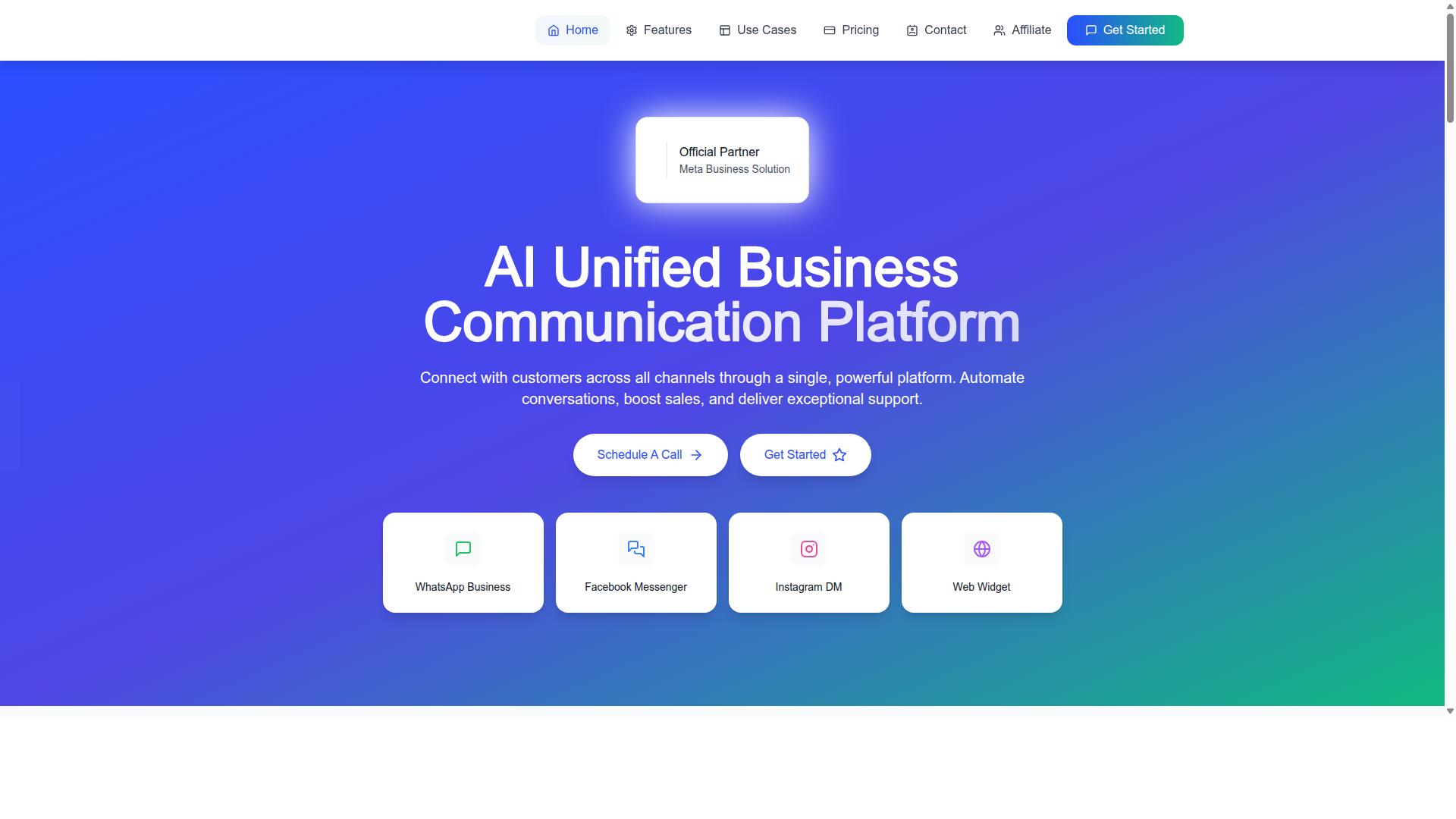
Some platforms, like Com.bot, offer this natively. Com.bot connects customers across WhatsApp Business, Facebook Messenger, Instagram DM, and Web Widget through a single platform, and its Unified Team Inbox includes team collaboration with role-based access. That combination matters for a small business where one person often handles several roles. Fewer tools means fewer places for a message to get lost.
When to Consider a Platform Like Com.bot
If you need to automate notifications, unify customer conversations across channels, and scale without hiring a development team, a platform like Com.bot warrants a closer look. It is an AI Unified Business Communication Platform owned and managed by Com Bot AI Limited, and it is an Official Meta Business Partner with direct WhatsApp Business API integration.
Several capabilities map directly to the criteria covered in this article. These include:
- WhatsApp Business API integration for notifications and two-way messaging
- A Unified Team Inbox for WhatsApp, Facebook, and Instagram
- A Visual Bot Builder with a drag-and-drop interface
- Native Payments for WhatsApp transactions
- An Automation Builder with 1000+ integrations
- Bulk Messaging, Order Updates, and Customer Support features
Com.bot also offers Smart Chatbots, Payment Collection, and External Integration, along with separate products such as Tasks.Bot for enterprise-grade task automations, Tickets.Bot for event ticketing, and Calendars.Bot for AI appointment booking. Its stated audience spans small businesses, government bodies, and enterprises, which suggests the platform is built to grow with an organization rather than cap it.
Still, no single platform fits every business. Use the checklist from this article, covering business verification, phone number provisioning, template approval, opt-in consent, throughput, uptime SLA, and pricing model, and score Com.bot against your own requirements. The right choice is the one that matches your notification volume, support ambitions, and budget today, with room to scale tomorrow.
Pricing Models and Total Cost of Ownership for Small Teams
For a small team, the total cost of ownership includes not just the platform fee but also per-message charges, add-ons, and the staff time saved through automation. A low headline price can hide costs that only appear once notification volume grows.
Build your TCO estimate from four layers: the base subscription, the per-conversation or per-message fee, add-ons such as extra users or channels, and any markup a provider applies on top of Meta's rates. Miss one layer and your budget forecast will be wrong.
Start with the subscription. This is the fixed quarterly or monthly fee you pay whether you send one notification or one hundred thousand. Compare plans on what they include, not just the number at the top.
Next, map your messaging volume. WhatsApp Business API pricing typically falls into per-conversation or per-message models, and the rates differ by template category. Utility templates, which cover most transactional messaging, are usually priced lower than marketing templates. Authentication templates sit in their own band.
Then add the extras. Extra team seats, additional channels, and higher usage tiers often carry separate charges. Ask for the full add-on list before you commit.
Finally, check for markups. Some providers resell WhatsApp messaging at Meta's published rates. Others add a margin on every message. That margin compounds quickly at volume, so it deserves a direct question during evaluation.
Two pricing structures dominate the market. Flat quarterly plans bundle a set of features for a predictable fee, which suits teams with steady, moderate volume. Usage-based plans scale with your sending, which suits teams with spiky or fast-growing traffic. Many platforms blend the two.
Here is a sample calculation for a small business sending 10,000 notifications per month. Assume the platform charges a flat quarterly subscription, then passes through Meta's messaging rates with no markup. Your monthly cost is the subscription divided across three months, plus 10,000 messages at the applicable per-message rate for your template mix.
Now run the same numbers with a provider markup on messaging. On a high-volume notification program, that markup can exceed the subscription itself. This is why the messaging rate matters more than the plan price as volume climbs.
Com.bot illustrates a tiered approach that fits different budgets. The Silver Plan is $149 per quarter, the Gold Plan is $349 per quarter and is the recommended option, and Platinum V1 is $2500 per quarter. Add-ons run $10 per month each for an additional team member, a social channel, external actions per 5000, bot triggers per 25000, or an ecom store.
Com.bot charges WhatsApp messaging at actual Meta rates with no markup, which keeps the per-message layer transparent as notification volume grows. Dedicated support is available at $49 per hour for WABA, CRM, and Inbox, and $99 per hour for Ecommerce, Bots, and Automations. Prices are listed in USD, and the site also offers an INR toggle, so confirm your billing currency before signing.
When you compare quotes, put every platform into the same table so the differences are visible:
- Base subscription, normalized to a monthly figure
- Per-message or per-conversation rate by template category
- Any markup above Meta's published rates
- Add-on costs for users, channels, and usage tiers
- Support charges, if billed hourly or separately
- Contract length and renewal terms
Two negotiation habits pay off. First, ask for transparent pricing in writing, including the messaging rate and any markup, so nothing changes quietly at renewal. Second, if your volume is predictable, ask about annual contract terms. Committing to a year often unlocks better rates than paying quarterly.
Do not forget the other side of the ledger. Automation reduces the staff hours spent sending manual updates, answering delivery questions, and chasing failed messages. A platform that costs slightly more but removes manual work can deliver a lower true cost of ownership than a cheaper tool that adds labor. Weigh subscription, messaging, add-ons, and staff time together before you decide.
A Practical Checklist Before You Commit
Before signing a contract, run through this checklist to ensure the platform delivers on its promises and fits your notification and support needs. Each item includes a simple pass or fail question you can answer with the vendor directly.
A structured set of evaluation criteria keeps the conversation focused on facts rather than sales claims. Ask for written answers, not verbal assurances, so you have something to compare across vendors.
- Official Meta partner status: Is the provider listed as an official Meta Business Partner or Technology Provider, and can they show documentation?
- Template approval speed: How quickly are message templates reviewed and submitted, and what is the typical turnaround for utility or authentication templates?
- Delivery rate guarantees: Do they publish or contractually commit to delivery benchmarks, and how are delivery receipts reported back to you?
- Pricing transparency: Is the pricing model clear on per-message versus per-conversation charges, including markup on Meta's rates?
- Automation capabilities: Can the platform trigger customer notifications automatically from your order, booking, or CRM systems?
- Multi-channel support: Does it handle WhatsApp alongside other channels, or is it single-channel only?
- Opt-in management: How does the platform capture, store, and honor opt-in consent, and can you export that record?
- Security and encryption: Is data encrypted in transit and at rest, and where is it hosted?
- Customer support responsiveness: What are the support hours, channels, and escalation path when a notification fails?
For each question, a clear yes with evidence is a pass. A vague answer, a delay, or a refusal to put terms in writing is a fail. Two or three fails across this list usually signal a platform that will create friction later.
Once the checklist clears, move to a practical trial. Request a demo, test with a small campaign, and review the SLA before full rollout. A pilot using real transactional messaging reveals how the platform handles throughput, latency, and API rate limits under actual conditions.
Review the uptime SLA carefully. Confirm what credits or remedies apply if service drops, and check whether message queueing protects notifications during traffic spikes.
If Com.bot is on your shortlist, you can reach the team directly to arrange a walkthrough. Their head office is at 501, Trinity Orion, Vesu Main Road, Surat - 395010, IN. Call or message +91 080 6987 1810, email [email protected], or use WhatsApp Support. Business hours are Monday to Friday, 9:00 AM to 6:00 PM IST.
Recommended Resources: